
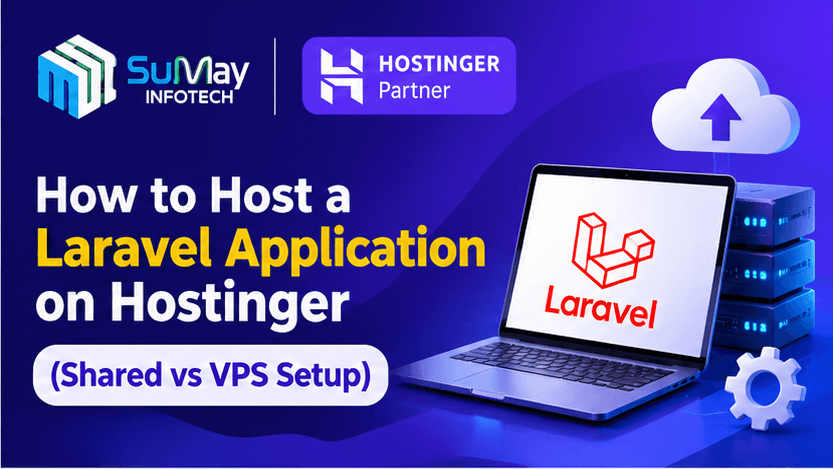
You can run Laravel on Hostinger two ways: on shared hosting, which works well for small apps, admin panels and company websites, or on a VPS (virtual private server), which you need once you rely on queue workers, Redis, WebSockets or steady traffic. This guide walks through both, with the exact commands we use.
At Sumay Infotech, Laravel is our main backend framework. We’ve deployed client projects, from internal tools to logistics SaaS platforms, on both Hostinger’s shared server hosting and its VPS plans. The steps below are what we actually do, including the mistakes we’ve learned to avoid.
Shared server hosting or VPS: which one does your Laravel app need?
Start here, because it decides everything that follows.
| Your app | Shared hosting | VPS |
|---|---|---|
| Company website or CMS built on Laravel | Good fit | More than you need |
| Admin panel or CRM with a few dozen users | Good fit | Optional |
| Sends emails or notifications in the background | Works with a cron workaround | Better: real queue workers |
| Uses Redis, Horizon, Reverb or WebSockets | Not supported | Required |
| SaaS with paying customers or steady traffic | Not recommended | Required |
| You need root access or custom PHP extensions | No | Yes |
A simple rule we give clients: if the app must do work when no one is clicking (queues, scheduled imports, real-time updates), budget for a VPS.
Part 1: Hosting Laravel on Hostinger shared hosting
What you need before you start
- A Hostinger web hosting plan with SSH access. Choose Premium or higher; check the plan card on the live page because entry tiers have had fewer developer features.
- Your Laravel project in a Git repository (GitHub, GitLab or Bitbucket).
- Front-end assets built locally. Run npm run build before deploying, because shared plans aren’t designed for running Node build steps.
Step 1: Set the right PHP version
In hPanel, go to Advanced → PHP Configuration and select a PHP version your Laravel release supports. Laravel 12 needs PHP 8.2 or newer; newer Laravel releases may require 8.3. Make sure extensions like pdo_mysql, mbstring, openssl, bcmath and fileinfo are enabled.
Step 2: Create the database
Under Databases → MySQL Databases, create a database and user. Note the full names, since Hostinger prefixes them with your account ID (for example u123456789_appdb). Keep the password somewhere safe; you’ll need it for .env.
Step 3: Enable SSH and connect
Go to Advanced → SSH Access, enable it, and copy the connection details. Then connect from your terminal:
ssh -p 65002 u123456789@your-server-ip
The port and username shown in your hPanel are the ones to use. Check that Composer is available with composer -V.
Step 4: Put the app outside public_html
This is the step most tutorials get wrong. Never upload the whole Laravel project into public_html, because that exposes your .env file and source code. Instead, keep the app one level up and point the web root at Laravel’s public folder.
cd ~/domains/yourdomain.com
git clone https://github.com/your-org/your-app.git laravel
cd laravel
composer install –no-dev –optimize-autoloader
Now replace public_html with a symlink to the app’s public directory:
cd ~/domains/yourdomain.com
mv public_html public_html_backup
ln -s laravel/public public_html
If a symlink isn’t possible on your setup, the fallback is an .htaccess rewrite in public_html that forwards requests to laravel/public. The symlink is cleaner and safer.
Step 5: Configure the environment
cd ~/domains/yourdomain.com/laravel
cp .env.example .env
php artisan key:generate
Edit .env with nano .env and set APP_ENV=production, APP_DEBUG=false, APP_URL=https://yourdomain.com, and your database details (DB_HOST=localhost on Hostinger shared hosting). Then run:
php artisan migrate –force
php artisan storage:link
php artisan config:cache
php artisan route:cache
php artisan view:cache
Step 6: Scheduler and queues with cron
Shared server hosting doesn’t allow long-running processes, so you can’t keep queue:work alive. The workaround is to let Laravel’s scheduler process the queue every minute.
In hPanel, open Advanced → Cron Jobs and add a job that runs every minute:
/usr/bin/php /home/u123456789/domains/yourdomain.com/laravel/artisan schedule:run >> /dev/null 2>&1
Then, in your app’s scheduler (routes/console.php in Laravel 11 and later), add:
Schedule::command(‘queue:work –stop-when-empty –max-time=50’)
->everyMinute()
->withoutOverlapping();
Set QUEUE_CONNECTION=database in .env. Emails and notifications will now go out within about a minute. That’s fine for a contact form; it isn’t fine for a checkout flow.
Step 7: SSL and final checks
Hostinger issues a free SSL certificate automatically on most plans; confirm under Security → SSL and force HTTPS. Then visit the site, submit a form, and check storage/logs/laravel.log for errors.
Updating the app later
cd ~/domains/yourdomain.com/laravel
php artisan down
git pull origin main
composer install –no-dev –optimize-autoloader
php artisan migrate –force
php artisan optimize
php artisan up
Part 2: Hosting Laravel on a Hostinger VPS (virtual private server)
A VPS virtual private server gives your app its own slice of a physical machine: dedicated vCPU, RAM and storage, plus full root access. That’s what lets you run Supervisor, Redis, Horizon and anything else Laravel’s production docs assume.
Choosing a Hostinger VPS plan for Laravel
Hostinger’s KVM plans double in resources at each step. Prices below are the India rates published in September 2026; the Black Friday sale lists VPS from ₹599/month.
| Plan | vCPU | RAM | NVMe | Intro price | Renews at | Good for |
|---|---|---|---|---|---|---|
| KVM 1 | 1 | 4 GB | 50 GB | ₹599/mo | ₹999/mo | Staging, one small app |
| KVM 2 | 2 | 8 GB | 100 GB | ₹799/mo | ₹1,199/mo | Most production Laravel apps |
| KVM 4 | 4 | 16 GB | 200 GB | ₹1,099/mo | ₹2,399/mo | SaaS, heavy queues, multiple apps |
| KVM 8 | 8 | 32 GB | 400 GB | ₹2,199/mo | ₹4,399/mo | High traffic, large databases |
Source: Hostinger India VPS page, read 14 September 2026 (details).
We start most client apps on KVM 2. It handles Nginx, PHP-FPM, MySQL, Redis and two queue workers comfortably, and it has the gentlest renewal increase of the four. When choosing virtual private server hosting services, pick the data centre closest to your users; for Indian traffic, choose the India or nearest Asia location in hPanel.
Step 1: Set up the server
In hPanel, choose the Ubuntu 24.04 OS template, set a strong root password, and add your SSH key. Then connect and harden the basics:
ssh root@your-vps-ip
adduser deploy
usermod -aG sudo deploy
ufw allow OpenSSH
ufw allow ‘Nginx Full’
ufw enable
apt update && apt upgrade -y
After this, log in as deploy and disable root password login in /etc/ssh/sshd_config.
Step 2: Install the stack
Ubuntu 24.04 ships PHP 8.3, which suits current Laravel releases.
sudo apt install -y nginx mysql-server redis-server supervisor unzip git \
php8.3-fpm php8.3-cli php8.3-mysql php8.3-mbstring php8.3-xml \
php8.3-curl php8.3-zip php8.3-bcmath php8.3-intl php8.3-redis
curl -sS https://getcomposer.org/installer | php
sudo mv composer.phar /usr/local/bin/composer
sudo mysql_secure_installation
Create a database and user for the app inside MySQL, just as you would on shared hosting.
Step 3: Deploy the code
sudo mkdir -p /var/www/app && sudo chown deploy:www-data /var/www/app
cd /var/www/app
git clone https://github.com/your-org/your-app.git .
composer install –no-dev –optimize-autoloader
cp .env.example .env && php artisan key:generate
sudo chown -R deploy:www-data storage bootstrap/cache
sudo chmod -R 775 storage bootstrap/cache
Set .env for production, this time with CACHE_STORE=redis, QUEUE_CONNECTION=redis and SESSION_DRIVER=redis. Then run migrations and the cache commands from Part 1.
Step 4: Configure Nginx
Create /etc/nginx/sites-available/app:
server {
listen 80;
server_name yourdomain.com www.yourdomain.com;
root /var/www/app/public;
index index.php;
charset utf-8;
add_header X-Frame-Options “SAMEORIGIN”;
add_header X-Content-Type-Options “nosniff”;
location / {
try_files $uri $uri/ /index.php?$query_string;
}
location ~ ^/index\.php(/|$) {
fastcgi_pass unix:/var/run/php/php8.3-fpm.sock;
fastcgi_param SCRIPT_FILENAME $realpath_root$fastcgi_script_name;
include fastcgi_params;
fastcgi_hide_header X-Powered-By;
}
location ~ /\.(?!well-known).* {
deny all;
}
}
Enable it and reload:
sudo ln -s /etc/nginx/sites-available/app /etc/nginx/sites-enabled/
sudo rm /etc/nginx/sites-enabled/default
sudo nginx -t && sudo systemctl reload nginx
Step 5: Point the domain and add SSL
In your DNS zone (hPanel if the domain is with Hostinger), set an A record for @ and www to the VPS IP. Once it resolves, install a free Let’s Encrypt certificate:
sudo apt install -y certbot python3-certbot-nginx
sudo certbot –nginx -d yourdomain.com -d www.yourdomain.com
Certbot sets up automatic renewal for you.
Step 6: Queue workers with Supervisor
This is the main reason to move to a VPS. Create /etc/supervisor/conf.d/laravel-worker.conf:
[program:laravel-worker]
process_name=%(program_name)s_%(process_num)02d
command=php /var/www/app/artisan queue:work redis –sleep=3 –tries=3 –max-time=3600
autostart=true
autorestart=true
user=www-data
numprocs=2
redirect_stderr=true
stdout_logfile=/var/www/app/storage/logs/worker.log
stopwaitsecs=3600
sudo supervisorctl reread
sudo supervisorctl update
sudo supervisorctl start “laravel-worker:*”
If you use Horizon, point Supervisor at php artisan horizon instead.
Step 7: Scheduler and backups
Add the scheduler to the www-data crontab with sudo crontab -u www-data -e:
* * * * * cd /var/www/app && php artisan schedule:run >> /dev/null 2>&1
Hostinger VPS plans include weekly backups, and you can take manual snapshots in hPanel before risky deploys. We also run a nightly database dump to off-server storage, because a backup on the same machine isn’t really a backup.
Shared hosting vs VPS for Laravel: quick summary
| Shared hosting | VPS | |
|---|---|---|
| Setup time | About 30 minutes | 1–2 hours |
| Server skills needed | Basic SSH | Linux administration |
| Queues | Cron workaround | Supervisor or Horizon |
| Redis, WebSockets | No | Yes |
| Who manages security updates | Hostinger | You |
| Starting price (sale) | From ₹139/mo (Premium) | From ₹599/mo |
For a deeper look at the trade-offs beyond Laravel, read our guide on shared hosting vs private hosting (internal link to Article 4).
Save on Hostinger during Black Friday
Hostinger’s Black Friday sale runs until 14 December 2026, which is a good window to lock in a lower first-term price on either plan type. Apply our Hostinger Black Friday coupon at checkout for an extra discount:
Claim an extra 20% off at Hostinger
Use Sumay Infotech’s Hostinger referral link or code to get an extra 20% discount on eligible Hostinger shared hosting, VPS, cloud and other products.
Referral link: Claim 20% off on Hostinger
Referral code: 1MAYANKDOMA25
The same Hostinger hosting coupon code works on shared, cloud and VPS plans of 12 months or more, subject to Hostinger’s terms at checkout.
Need help deploying? Sumay Infotech can do it for you
We’re a Laravel-first development team in Ahmedabad and an official Hostinger partner. We set up production servers, CI/CD deployments, queues and monitoring for clients across India, the UAE and Saudi Arabia, and we can migrate an existing Laravel app to Hostinger with no data loss. Get in touch (link to your contact page).
About Sumay Infotech
Sumay Infotech is a leading IT solutions company in Ahmedabad, Gujarat. We specialise in website development, mobile application development, SEO and performance marketing. As an official Hostinger partner company, we set up, deploy and manage Laravel applications and websites on Hostinger shared hosting and VPS. Our team works with clients across India, the UAE and Saudi Arabia.
Hostinger referral offer: get an extra 20% off eligible Hostinger products and services with code 1MAYANKDOMA25. Claim your 20% discount

About the author
Mayank Domadiya, Director & Co-founder, Sumay Infotech
Mayank leads Sumay Infotech’s web application and hosting projects, including Laravel deployments on Hostinger shared hosting and VPS for clients in India and the Gulf.
LinkedIn profile · Company website
Commands tested on Ubuntu 24.04 and current Laravel releases. Prices checked 4 November 2026; confirm on Hostinger’s site before buying.
FAQ
Can I host a Laravel application on Hostinger shared hosting?
Yes. Laravel runs well on Hostinger shared hosting as long as your plan includes SSH access. Keep the app outside public_html, point the web root at Laravel’s public folder, and use a cron job for the scheduler. It suits company sites, CMS projects and small admin panels.
Which Hostinger plan is best for Laravel?
For small apps, Hostinger’s Premium shared plan or higher is enough. For production apps with queues, Redis or real traffic, a VPS virtual private server such as KVM 2 (2 vCPU, 8 GB RAM) is the sweet spot for most Laravel projects we deploy.
How do I run Laravel queues on shared server hosting?
Shared server hosting doesn’t allow long-running processes, so run queue:work –stop-when-empty from Laravel’s scheduler every minute, triggered by an hPanel cron job. Use the database queue driver. Jobs process within about a minute.
Is a virtual private server worth it for a small Laravel project?
If your project relies on background jobs, Redis caching, WebSockets or needs root access, yes. A virtual private server removes the shared-hosting limits and gives you guaranteed CPU and RAM. If it’s a simple site with a contact form, shared hosting is cheaper and needs less maintenance.
Do Hostinger virtual private server hosting services include a control panel?
Hostinger VPS plans are managed through hPanel, where you can install OS templates, take snapshots, view usage and manage DNS. The server itself is self-managed, so you’re responsible for software updates and security, unless you hire a team like ours to manage it.
Can I use the Hostinger Black Friday coupon on a VPS plan?
Generally yes. Hostinger coupon codes typically apply to VPS, cloud and shared plans bought for 12 months or longer, on the first term only. Try 1MAYANKDOMA25 at checkout before 14 December 2026, when the Black Friday sale ends.
Does Hostinger give a free SSL certificate for Laravel apps?
On shared hosting, Hostinger issues free SSL automatically. On a VPS, you install it yourself with Let’s Encrypt and Certbot, which takes one command and renews automatically.